



BAPE & Medicom Toy Ready 1000% "ABC CAMO" BE@RBRICKs
Design

BAPE & Medicom Toy Ready 1000% "ABC CAMO" BE@RBRICKs

Available in classic green, pink and blue.

Herschel Supply Outfits BE@RBRICK for Latest Capsule
Design

Herschel Supply Outfits BE@RBRICK for Latest Capsule

He’s ready to hit the road.

Medicom Toy and Rostarr Come Together for 100% & 400% BE@RBRICKS
Design

Medicom Toy and Rostarr Come Together for 100% & 400% BE@RBRICKS

The Nike collaborator uses the bear-shaped toy as his canvas.

Medicom Toy Honors Muhammed Ali With Latest BE@RBRICK
Design

Medicom Toy Honors Muhammed Ali With Latest BE@RBRICK

“Float like a butterfly, sting like a bee.”

Kosuke Kawamura Reworks The BE@RBRICK 100% & 400%
Design

Kosuke Kawamura Reworks The BE@RBRICK 100% & 400%

Featuring the artist’s signature collage style.

AAPE Teams With Baby Milo & Medicom Toy for BE@RMUGS
Design

AAPE Teams With Baby Milo & Medicom Toy for BE@RMUGS

Coming in two contrasting black and white colorways.


Karimoku Teams up With Medicom on a "Rosewood" BE@RBRICK 400%
Design

Karimoku Teams up With Medicom on a "Rosewood" BE@RBRICK 400%

Another one for the die-hard collectors.
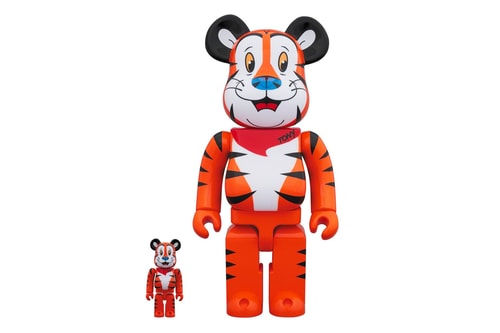
Tony the Tiger Immortalized in New BE@RBRICK Figure
Design

Tony the Tiger Immortalized in New BE@RBRICK Figure

“They’re GR-R-REAT!”

K-Pop Group BTS Teams up With Medicom Toy for New BE@RBRICK
Design

K-Pop Group BTS Teams up With Medicom Toy for New BE@RBRICK

Inspired by the group’s on-stage outfits.

Medicom BE@RBRICK & dix Team up for Bear-Shaped Pearl Earring
Fashion

Medicom BE@RBRICK & dix Team up for Bear-Shaped Pearl Earring

Show your love for the BE@RBRICK in jewelry form.

7 Drops You Don't Want to Miss This Week
Fashion

7 Drops You Don't Want to Miss This Week

Featuring BAPE, Takashi Murakami, OVO and more.

OVO Revels Collaborative BE@RBRICK by MEDICOM TOY
Design

OVO Revels Collaborative BE@RBRICK by MEDICOM TOY

The famed BE@RBRICK figure joins the October Firm.

Load More
 

Looks like you’re using an ad-blocker

We charge advertisers instead of our readers. Support us by whitelisting our site.

Whitelist Us

How to Whitelist Us

screenshot
  1. Click the AdBlock icon in the browser extension area in the upper right-hand corner.
  2. Under “Pause on this site” click “Always”.
  3. Refresh the page or click the button below to continue.
screenshot
  1. Click the AdBlock Plus icon in the browser extension area in the upper right-hand corner.
  2. Block ads on – This website” switch off the toggle to turn it from blue to gray.
  3. Refresh the page or click the button below to continue.
screenshot
  1. Click the AdBlocker Ultimate icon in the browser extension area in the upper right-hand corner.
  2. Switch off the toggle to turn it from “Enabled on this site” to “Disabled on this site”.
  3. Refresh the page or click the button below to continue.
screenshot
  1. Click the Ghostery icon in the browser extension area in the upper right-hand corner.
  2. Click on the “Ad-Blocking” button at the bottom. It will turn gray and the text above will go from “ON” to “OFF”.
  3. Refresh the page or click the button below to continue.
screenshot
  1. Click the UBlock Origin icon in the browser extension area in the upper right-hand corner.
  2. Click on the large blue power icon at the top.
  3. When it turns gray, click the refresh icon that has appeared next to it or click the button below to continue.
screenshot
  1. Click the icon of the ad-blocker extension installed on your browser.You’ll usually find this icon in the upper right-hand corner of your screen. You may have more than one ad-blocker installed.
  2. Follow the instructions for disabling the ad blocker on the site you’re viewing.You may have to select a menu option or click a button.
  3. Refresh the page or click the button below to continue.