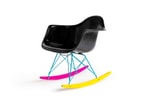
The Hundreds

The Hundreds

Profile

Industries
Founded 2003
Headquarters Los Angeles, CA, United States

Share Brand

Description

The Hundreds is the world’s first social merchandising company, founded in 2003 by Bobby Kim and Ben Shenassafar. The company is inspired by Californian street culture, and is considered a lifestyle project for Californian skateboarding, surfing, hip-hop and punk culture.
Read More

Share Brand

Share Brand

Latest Collections

Porn In The USA: An Interview with Asa Akira
Entertainment

Porn In The USA: An Interview with Asa Akira

Continuing to churn out unique lifestyle editorials from its LA-based headquarters, The Hundreds

The Hundreds x Modernica "CMYK” Fiberglass Arm Shell Rocker
Design

The Hundreds x Modernica "CMYK” Fiberglass Arm Shell Rocker

Since its introduction back in 1949, the Modernica-produced fiberglass Case Study chair from


The Hundreds x Reebok Pump Teaser
Footwear Fashion

The Hundreds x Reebok Pump Teaser

Having already seen a variety of renditions in the first quarter of 2014, it was only a matter of

The Hundreds x MADSTEEZ Mural On Melrose Los Angeles
Art

The Hundreds x MADSTEEZ Mural On Melrose Los Angeles

Best know for his vibrant artwork, which incorporates bold splashes of color and unique

The Hundreds 2014 Spring/Summer Black Dominoes Set
Fashion

The Hundreds 2014 Spring/Summer Black Dominoes Set

Following the release of its latest warm weather apparel, The Hundreds returns with a solid

Michael Huynh and the Modern Jogger Pant
Fashion

Michael Huynh and the Modern Jogger Pant

From high-end fashion line sheets to your local brand’s latest lookbook, the jogger pant seems a

The Hundreds 2014 Spring/Summer New Arrivals
Fashion

The Hundreds 2014 Spring/Summer New Arrivals

The Hundreds keeps the releases coming fast and furious this season with a slew of new arrivals

The Hundreds 2014 Spring "Geo" Pack
Fashion

The Hundreds 2014 Spring "Geo" Pack

Aligning with its ’90s-inspired spring collection, The Hundreds premieres the “Geo” pack just

The Hundreds by James Jean Collection
Fashion

The Hundreds by James Jean Collection

The Hundreds will soon release its special-edition The Hundreds by James Jean Collection. James

The Hundreds 2014 Spring/Summer T-Shirts
Fashion

The Hundreds 2014 Spring/Summer T-Shirts

It’s not quite T-shirt weather in most parts of the country, but The Hundreds is ushering in

The Hundreds 2014 Spring/Summer "Scrambled Porn" Collection
Fashion

The Hundreds 2014 Spring/Summer "Scrambled Porn" Collection

After previewing the range early last month, here we find The Hundreds’ latest release from its

The Hundreds by James Jean Capsule Collection Preview
Fashion

The Hundreds by James Jean Capsule Collection Preview

The Hundreds recently enlisted Aaron De La Cruz to paint their headquarters and now the


Looks like you’re using an ad-blocker

We charge advertisers instead of our readers. Support us by whitelisting our site.

Whitelist Us

How to Whitelist Us

screenshot
  1. Click the AdBlock icon in the browser extension area in the upper right-hand corner.
  2. Under “Pause on this site” click “Always”.
  3. Refresh the page or click the button below to continue.
screenshot
  1. Click the AdBlock Plus icon in the browser extension area in the upper right-hand corner.
  2. Block ads on – This website” switch off the toggle to turn it from blue to gray.
  3. Refresh the page or click the button below to continue.
screenshot
  1. Click the AdBlocker Ultimate icon in the browser extension area in the upper right-hand corner.
  2. Switch off the toggle to turn it from “Enabled on this site” to “Disabled on this site”.
  3. Refresh the page or click the button below to continue.
screenshot
  1. Click the Ghostery icon in the browser extension area in the upper right-hand corner.
  2. Click on the “Ad-Blocking” button at the bottom. It will turn gray and the text above will go from “ON” to “OFF”.
  3. Refresh the page or click the button below to continue.
screenshot
  1. Click the UBlock Origin icon in the browser extension area in the upper right-hand corner.
  2. Click on the large blue power icon at the top.
  3. When it turns gray, click the refresh icon that has appeared next to it or click the button below to continue.
screenshot
  1. Click the icon of the ad-blocker extension installed on your browser.You’ll usually find this icon in the upper right-hand corner of your screen. You may have more than one ad-blocker installed.
  2. Follow the instructions for disabling the ad blocker on the site you’re viewing.You may have to select a menu option or click a button.
  3. Refresh the page or click the button below to continue.