Medicom Toy

Medicom Toy

Profile

Industries
Founded 1996
Headquarters Tokyo, Japan

Share Brand

Description

MEDICOM TOY is a japanese brand that specialises in creating collectable toys and action figures, founded in 1996. MEDICOM TOY aimed to create collectable pieces of art rather than conventional toys, thus their products are sold in limited quantities. Their most popular line of toys is the BE@RBRICK series, which is a series of bear-shaped figures imprinted with different designs.
Read More

Share Brand

Share Brand

Latest Collections

FC Barcelona Joins Medicom Toy for Pitch-Ready BE@RBRICKs
Design

FC Barcelona Joins Medicom Toy for Pitch-Ready BE@RBRICKs

Show your support for Messi, Coutinho and Suárez.

Medicom Toy Drops New Money Cat BE@RBRICK & R@BBRICK Figures
Design

Medicom Toy Drops New Money Cat BE@RBRICK & R@BBRICK Figures

Stay lucky.


FDMTL's Signature Embroidery and Patchwork Liven up New BE@RBRICK Designs
Design

FDMTL's Signature Embroidery and Patchwork Liven up New BE@RBRICK Designs

Featuring sashiko embroidery and boro patterns.

UNDERCOVER & Medicom Toy to Release Black GILAPPLE Clock
Design

UNDERCOVER & Medicom Toy to Release Black GILAPPLE Clock

“F*ck the clock.”

Medicom Toy Re-Releases Daft Punk 'Discovery' 400% & 'Random Access Memories' 1000% BE@RBRICKs
Design

Medicom Toy Re-Releases Daft Punk 'Discovery' 400% & 'Random Access Memories' 1000% BE@RBRICKs

“One More Time.”

Billionaire Boys Club Japan Teams up With Medicom Toy for Mickey Mouse Astronaut Figure
Design

Billionaire Boys Club Japan Teams up With Medicom Toy for Mickey Mouse Astronaut Figure

Based on a vintage model from the 70s.

10 Drops You Don't Want To Miss This Week
Fashion

10 Drops You Don't Want To Miss This Week

Those suitcases are going to cost ya.

NEIGHBORHOOD's Limited BE@RBRICK Figures Receives a Re-Release
Design

NEIGHBORHOOD's Limited BE@RBRICK Figures Receives a Re-Release

One more chance.

The Jackson Pollock BE@RBRICK 1000% Will up Boost Your Home Art Collection
Design

The Jackson Pollock BE@RBRICK 1000% Will up Boost Your Home Art Collection

For a fraction of the price.

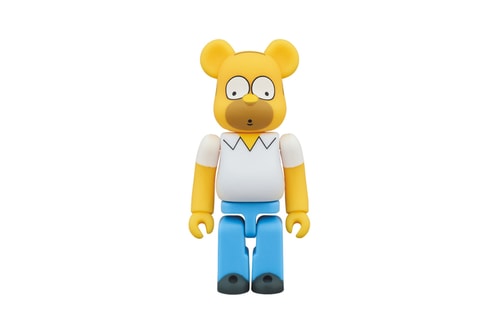
The Homer Simpson BE@RBRICK is Back in All Sizes
Design

The Homer Simpson BE@RBRICK is Back in All Sizes

The latest ‘The Simpsons’-themed design.

NEIGHBORHOOD Officially Unveils Its First The_Answer Pop-Up Releases
Fashion

NEIGHBORHOOD Officially Unveils Its First The_Answer Pop-Up Releases

Exclusive to the Isetan Shinjuku retail experience.

Medicom Toy Crafts Premium Batman for PERFECT-STUDIO
Design

Medicom Toy Crafts Premium Batman for PERFECT-STUDIO

Not just BE@RBRICKs.


Looks like you’re using an ad-blocker

We charge advertisers instead of our readers. Support us by whitelisting our site.

Whitelist Us

How to Whitelist Us

screenshot
  1. Click the AdBlock icon in the browser extension area in the upper right-hand corner.
  2. Under “Pause on this site” click “Always”.
  3. Refresh the page or click the button below to continue.
screenshot
  1. Click the AdBlock Plus icon in the browser extension area in the upper right-hand corner.
  2. Block ads on – This website” switch off the toggle to turn it from blue to gray.
  3. Refresh the page or click the button below to continue.
screenshot
  1. Click the AdBlocker Ultimate icon in the browser extension area in the upper right-hand corner.
  2. Switch off the toggle to turn it from “Enabled on this site” to “Disabled on this site”.
  3. Refresh the page or click the button below to continue.
screenshot
  1. Click the Ghostery icon in the browser extension area in the upper right-hand corner.
  2. Click on the “Ad-Blocking” button at the bottom. It will turn gray and the text above will go from “ON” to “OFF”.
  3. Refresh the page or click the button below to continue.
screenshot
  1. Click the UBlock Origin icon in the browser extension area in the upper right-hand corner.
  2. Click on the large blue power icon at the top.
  3. When it turns gray, click the refresh icon that has appeared next to it or click the button below to continue.
screenshot
  1. Click the icon of the ad-blocker extension installed on your browser.You’ll usually find this icon in the upper right-hand corner of your screen. You may have more than one ad-blocker installed.
  2. Follow the instructions for disabling the ad blocker on the site you’re viewing.You may have to select a menu option or click a button.
  3. Refresh the page or click the button below to continue.