CLSC

CLSC Top 10

Profile

Industries
Founded September 2009
Headquarters Los Angeles, CA, United States

Share Brand

Description

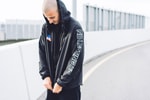
CLSC (pronounced kla-sik) is an independent apparel brand founded by Joshua Vides, in 2009. The label was conceived to showcase Vides’ fascination with sex, drugs, sports and music. Offering clean cut innovative goods, the brand grew to become a lifestyle label.
Read More

Share Brand

Share Brand

Latest Collections

StreetX x CLSC Capsule Collection
Fashion

StreetX x CLSC Capsule Collection

An athletic-inspired range for the retailer’s 4 year anniversary.

CLSC 2015 Fall/Winter Collection
Fashion

CLSC 2015 Fall/Winter Collection

A street-ready, seasonal range driven by sports and street culture.


CLSC Opens Its Doors in Fairfax, Los Angeles
Fashion

CLSC Opens Its Doors in Fairfax, Los Angeles

Check out CLSC’s first location, right at the heart of all the action at Fairfax and Rosewood.

CLSC 2015 Spring/Summer Collection
Fashion

CLSC 2015 Spring/Summer Collection

Established in 2010 by Joshua Vides, CLSC is an independent label that began with a desire to

HYPEBEAST Eats... The Golden State - CLSC 72-Hour Take Over
Food & Beverage

HYPEBEAST Eats... The Golden State - CLSC 72-Hour Take Over

In a bid to blend fashion with food — an always tasty mix — Los Angeles-based brand CLSC takes

Streetsnaps: Josh Vides of CLSC
Fashion

Streetsnaps: Josh Vides of CLSC

Location: Taipei, Taiwan

Primitive x CLSC "Morning After Pack"
Fashion

Primitive x CLSC "Morning After Pack"

Primitive joins CA-based street label CLSC to present the “Morning After Pack.” Embodying all the

CLSC 2014 Fall Lookbook
Fashion

CLSC 2014 Fall Lookbook

Melding athletic inspirations with a street-ready approach to design, CLSC offers its 2014 fall

CLSC x MLTD 2014 Summer Baseball Jersey
Fashion

CLSC x MLTD 2014 Summer Baseball Jersey

Los Angeles-based label CLSC teams up with retail giant MLTD.com this summer to introduce an

CLSC 2014 Spring/Summer Baseball Jerseys
Fashion

CLSC 2014 Spring/Summer Baseball Jerseys

Driven by a mix of “sex, drugs, sports and loud music,” California-based CLSC returns for

CLSC 2014 Spring/Summer Lookbook
Fashion

CLSC 2014 Spring/Summer Lookbook

Southern California’s CLSC drops an initial look into its Spring/Summer 2014 lookbook. Set to

CLSC Teams Up with The Golden State on the Limited Edition "CLSC BBQ BURGER"
Food & Beverage

CLSC Teams Up with The Golden State on the Limited Edition "CLSC BBQ BURGER"

Earlier this week, Los Angeles-based brand CLSC teamed up with local burger establishment – and


Looks like you’re using an ad-blocker

We charge advertisers instead of our readers. Support us by whitelisting our site.

Whitelist Us

How to Whitelist Us

screenshot
  1. Click the AdBlock icon in the browser extension area in the upper right-hand corner.
  2. Under “Pause on this site” click “Always”.
  3. Refresh the page or click the button below to continue.
screenshot
  1. Click the AdBlock Plus icon in the browser extension area in the upper right-hand corner.
  2. Block ads on – This website” switch off the toggle to turn it from blue to gray.
  3. Refresh the page or click the button below to continue.
screenshot
  1. Click the AdBlocker Ultimate icon in the browser extension area in the upper right-hand corner.
  2. Switch off the toggle to turn it from “Enabled on this site” to “Disabled on this site”.
  3. Refresh the page or click the button below to continue.
screenshot
  1. Click the Ghostery icon in the browser extension area in the upper right-hand corner.
  2. Click on the “Ad-Blocking” button at the bottom. It will turn gray and the text above will go from “ON” to “OFF”.
  3. Refresh the page or click the button below to continue.
screenshot
  1. Click the UBlock Origin icon in the browser extension area in the upper right-hand corner.
  2. Click on the large blue power icon at the top.
  3. When it turns gray, click the refresh icon that has appeared next to it or click the button below to continue.
screenshot
  1. Click the icon of the ad-blocker extension installed on your browser.You’ll usually find this icon in the upper right-hand corner of your screen. You may have more than one ad-blocker installed.
  2. Follow the instructions for disabling the ad blocker on the site you’re viewing.You may have to select a menu option or click a button.
  3. Refresh the page or click the button below to continue.