Ne.Sense

Ne.Sense Top 10

Taiwanese Boutique

Profile

Industries
Founded 2013
Headquarters Taipei, Taiwan

Share Brand

Description

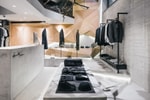
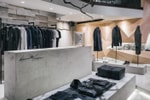
Ne.Sense (Necessity Sense) is a Taiwanese boutique founded by three brothers, in 2013. The store aims to help people build their sense towards art, fashion and design, believing that it should be organically formed and not forced. The boutique stocks brands such as ETQ Amsterdam, Filling Pieces, ICNY, I Love Ugly, among many more streetwear and menswear brands.
Read More

Share Brand

Share Brand

Latest Collections

A Look Inside Ne.Sense's Taipei Store
Fashion

A Look Inside Ne.Sense's Taipei Store

Extending their foray from creative consultancy to retail, Ne.Sense recently took to its hometown

Ne.Sense Taipei Store Opening Recap
Fashion

Ne.Sense Taipei Store Opening Recap

Helmed by three brothers with a passion for simple and functional designs, the vision of


Ne.Sense 2014 Fall/Winter "Outcast" Lookbook
Fashion

Ne.Sense 2014 Fall/Winter "Outcast" Lookbook

Taipei-based Ne.Sense, otherwise known as Necessity Sense, will soon celebrate the opening of its


Looks like you’re using an ad-blocker

We charge advertisers instead of our readers. Support us by whitelisting our site.

Whitelist Us

How to Whitelist Us

screenshot
  1. Click the AdBlock icon in the browser extension area in the upper right-hand corner.
  2. Under “Pause on this site” click “Always”.
  3. Refresh the page or click the button below to continue.
screenshot
  1. Click the AdBlock Plus icon in the browser extension area in the upper right-hand corner.
  2. Block ads on – This website” switch off the toggle to turn it from blue to gray.
  3. Refresh the page or click the button below to continue.
screenshot
  1. Click the AdBlocker Ultimate icon in the browser extension area in the upper right-hand corner.
  2. Switch off the toggle to turn it from “Enabled on this site” to “Disabled on this site”.
  3. Refresh the page or click the button below to continue.
screenshot
  1. Click the Ghostery icon in the browser extension area in the upper right-hand corner.
  2. Click on the “Ad-Blocking” button at the bottom. It will turn gray and the text above will go from “ON” to “OFF”.
  3. Refresh the page or click the button below to continue.
screenshot
  1. Click the UBlock Origin icon in the browser extension area in the upper right-hand corner.
  2. Click on the large blue power icon at the top.
  3. When it turns gray, click the refresh icon that has appeared next to it or click the button below to continue.
screenshot
  1. Click the icon of the ad-blocker extension installed on your browser.You’ll usually find this icon in the upper right-hand corner of your screen. You may have more than one ad-blocker installed.
  2. Follow the instructions for disabling the ad blocker on the site you’re viewing.You may have to select a menu option or click a button.
  3. Refresh the page or click the button below to continue.